WORK ORDER — WO-1048
Compressor repair
EstimateDONE
ScheduleDONE
TrackDONE
InvoiceDONE
PaidDONE
WORK ORDER TOTAL$1,248.00
14-DAY FREE TRIAL — NO CARD REQUIRED
Capture the job once, track it through the shop or field, and invoice cleanly when it is time to get paid.
Built for repair shops, installers, cleaning crews, print and fab shops — any small business that runs on work orders.
WORK ORDER — WO-1048
INVOICE INV-1048 · PAID
$1,248.00
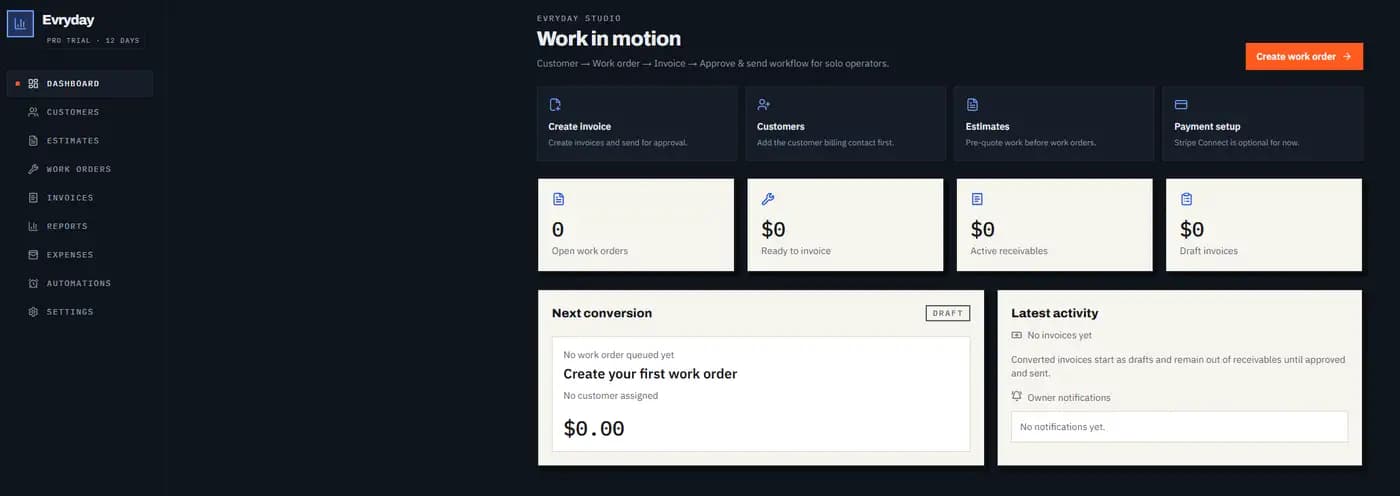
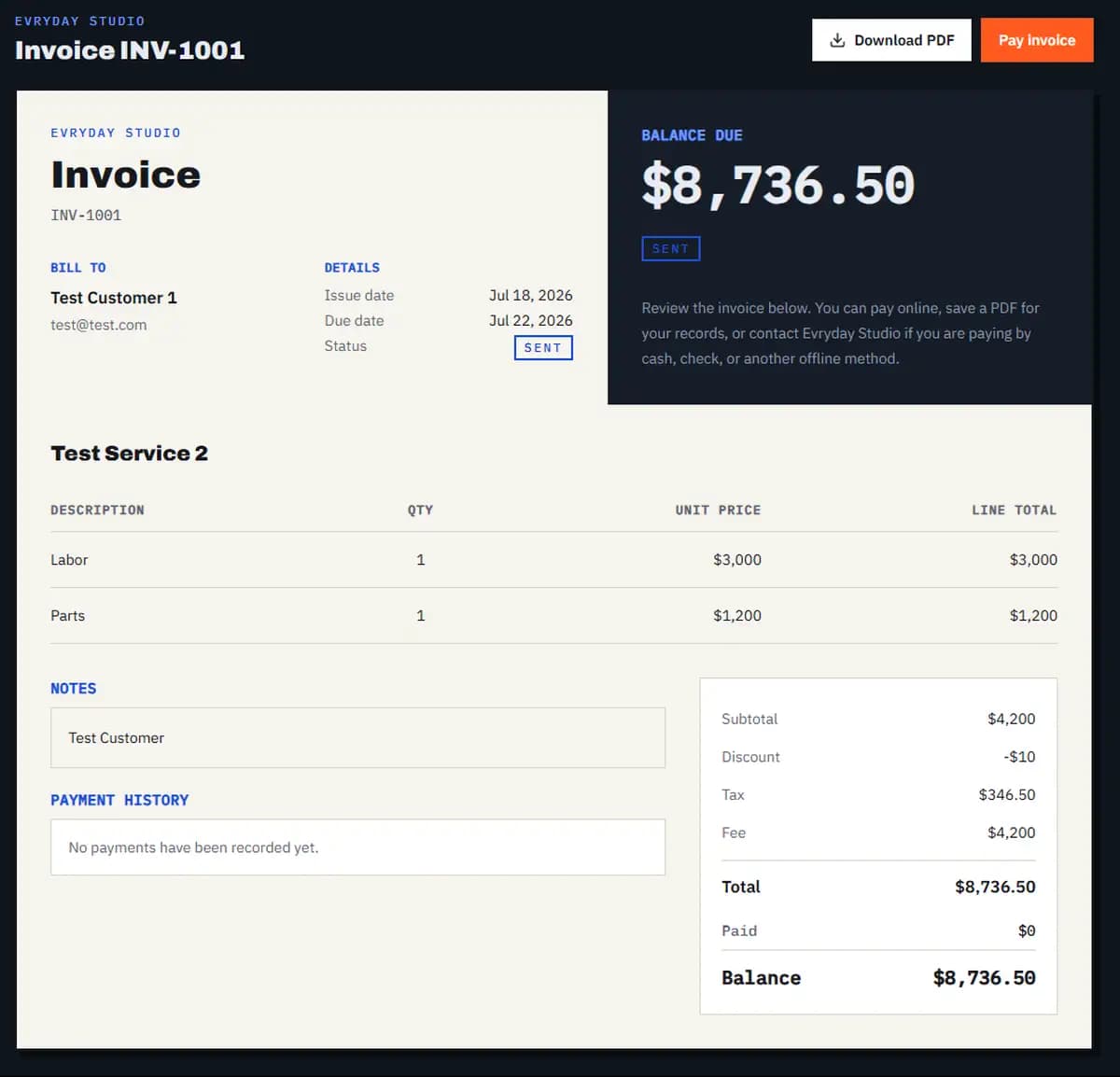
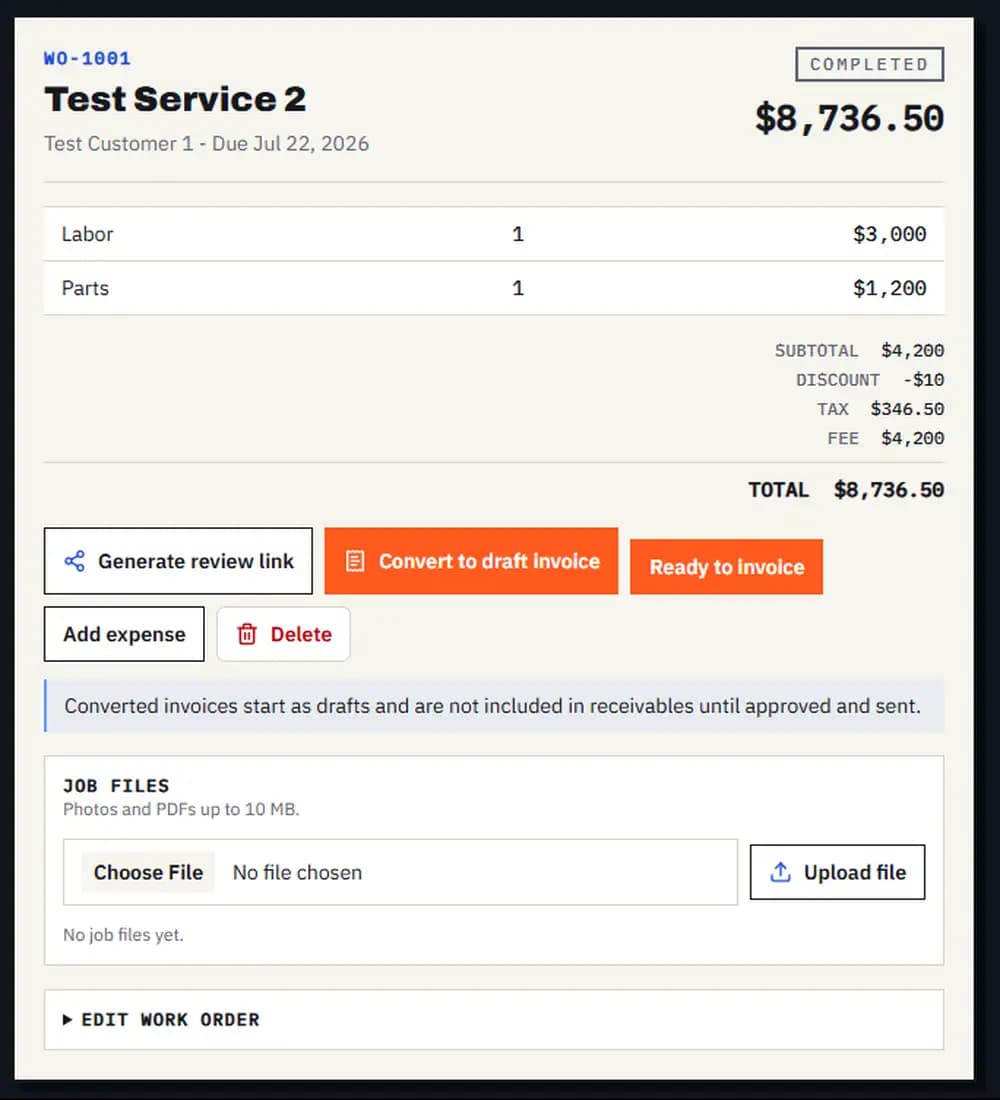
REAL PRODUCT VIEW
Demo Data — real productThese are real Evryday Invoice views from a safety-checked demo account. The CSS work-order vignette above shows the idea; these product views show the working screens beside it.
01 / THE PROBLEM
Once in the quote, once on the work order, once on the invoice. Every retype is a chance to lose a line item — and the money that goes with it.
The customer approved it by text three weeks ago. Was it scheduled? Finished? Invoiced? Nobody can tell without digging through messages.
Printing, emailing, re-sending, chasing. The invoice that takes ten minutes to make takes three weeks to collect.
02 / HOW IT WORKS
Step 1
Add the customer, scope, line items, and pricing in one place so the job starts with a clean record your team can follow.
Step 2
Send the customer a review link they can approve from their phone. Track the work order from scheduled to done, with the full job history attached.
Step 3
Convert the finished work order to an invoice, email it with a Pay Now link, and watch the status move from sent to paid — without printing anything.
03 / WHAT'S INCLUDED
Let customers approve the work from their phone before the job moves forward.
Send a clean, professional invoice that is ready to print, save, or forward.
Give customers a secure way to pay online the moment the invoice lands.
Collect the money you need up front and keep the remaining balance clear.
Keep regular customers billed on schedule without rebuilding the same invoice.
Let overdue invoices chase themselves automatically, not you after hours.
Keep site photos, receipts, and job documents attached to the work they belong to.
Turn your repeat work into ready-to-add services so estimates take less typing.
Bring the whole crew into the same job record without sharing one login.
Give each person the right level of access while protecting billing and account controls.
See what is outstanding, what is aging, and where cash needs your attention.
Know who changed what on a job, with a record you can trace back later.
04 / PRICING
Simple, flat pricing
One flat price per workspace — your whole crew can use Pro for less than one seat of the big field-service suites.
ONE FLAT PRICE · NO PER-SEAT MATH
Starter
Helps you invoice.
$19/ MO
$19/mo, or $190/yr — two months free.
For one-person shops that need a clean job-to-invoice flow.
Pro
Helps you run the work.
$49/ MO
$49/mo, or $490/yr — two months free.
For busy operators and small teams that need more job context.
Operations
Helps you run the business.
$99/ MO
$99/mo, or $990/yr — two months free.
For teams where work orders are the daily command center.
05 / QUESTIONS
Shop floor FAQ
Straight answers about the work, the crew, and getting paid.
Your workspace locks after 14 days until you choose a plan. Your data is kept, so you can pick up where you left off.
No. Customers get a private link — they can review and approve a work order or pay an invoice from their phone without signing up for anything.
Connect your own Stripe account in Settings and every invoice can carry a Pay Now link. Stripe's standard card processing fees apply and go through your Stripe account — Evryday does not add a markup.
Yes. Email the invoice, download the PDF, take cash or check, and mark it paid manually. Stripe is optional.
Pro and Operations let you invite teammates by link at one flat workspace price — no per-seat math.
On eligible Pro or Operations workspaces with automatic reminders enabled, invoices move to overdue and reminders go out automatically — so there is no chasing.
No. Plans are month to month, and annual billing (two months free) is optional.
Start with a 14-day free trial on Pro. No credit card required.